Leaftide features: everything the garden planner app does
Leaftide plans and keeps the whole garden in one place: vegetable beds, pots, fruit trees and perennials, on one map and one calendar. Below is each feature in a sentence, then what Leaftide doesn't do.
Everything below is on the free plan except the daily digest email and your own fertilizers, suppliers and soil mixes.
Plan the garden
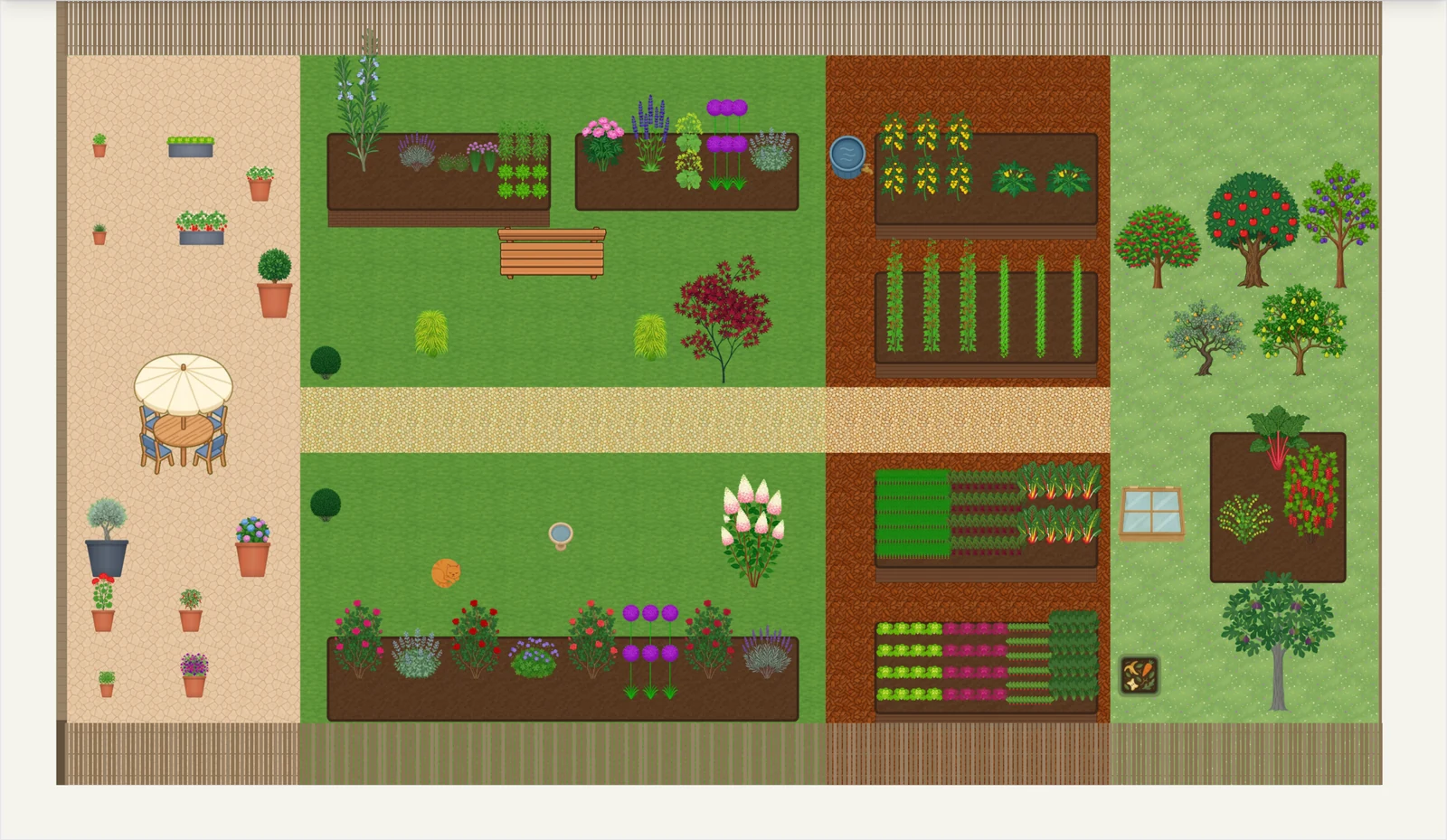
Draw the garden you actually have, to scale, then decide what goes where this year and next.
-
Plot designer
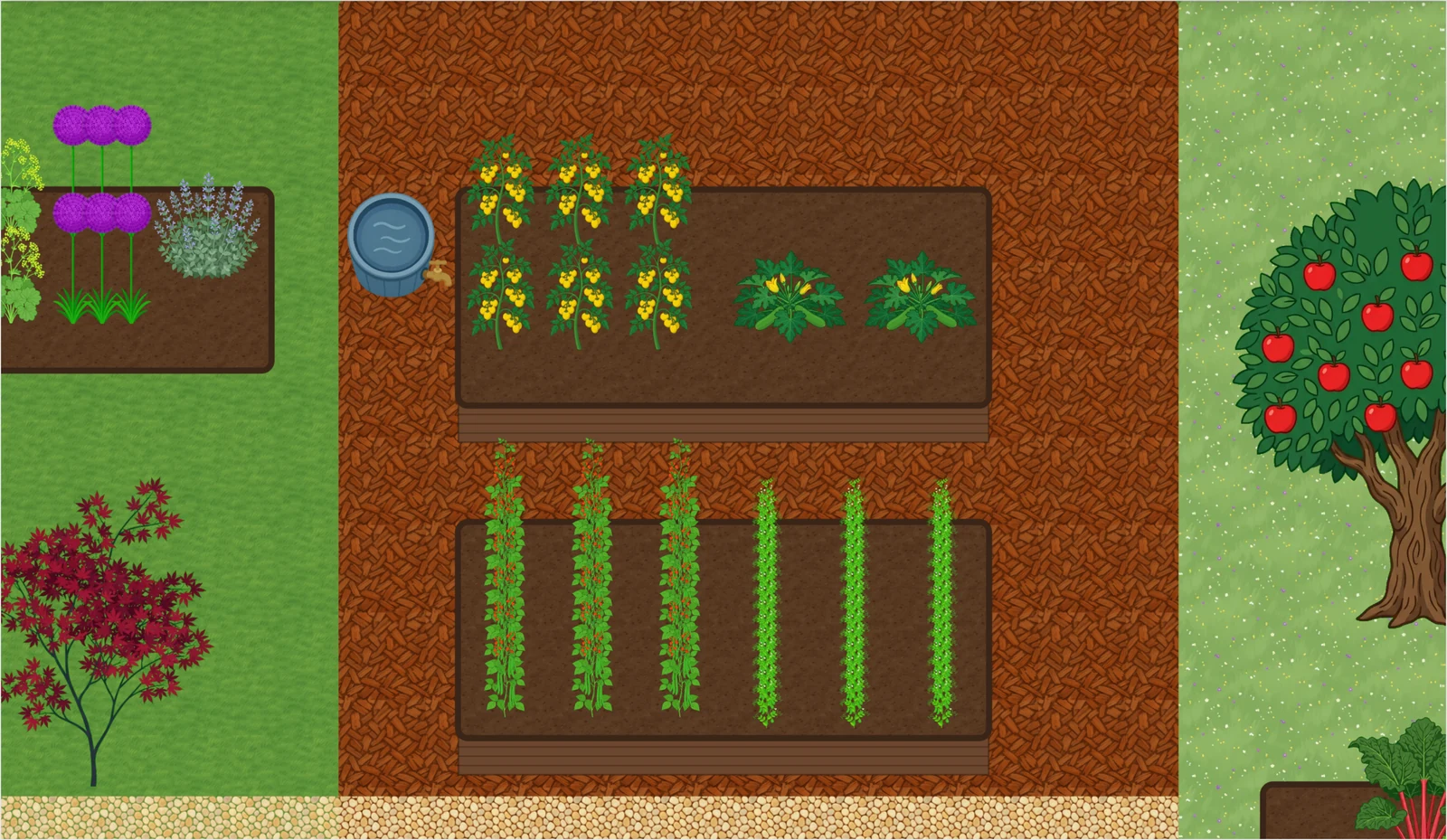
Draw beds, pots, paths, walls and fixtures such as sheds, greenhouses, benches and trellises to scale, with ground and surface textures.
Plot Designer Guide -
Your space
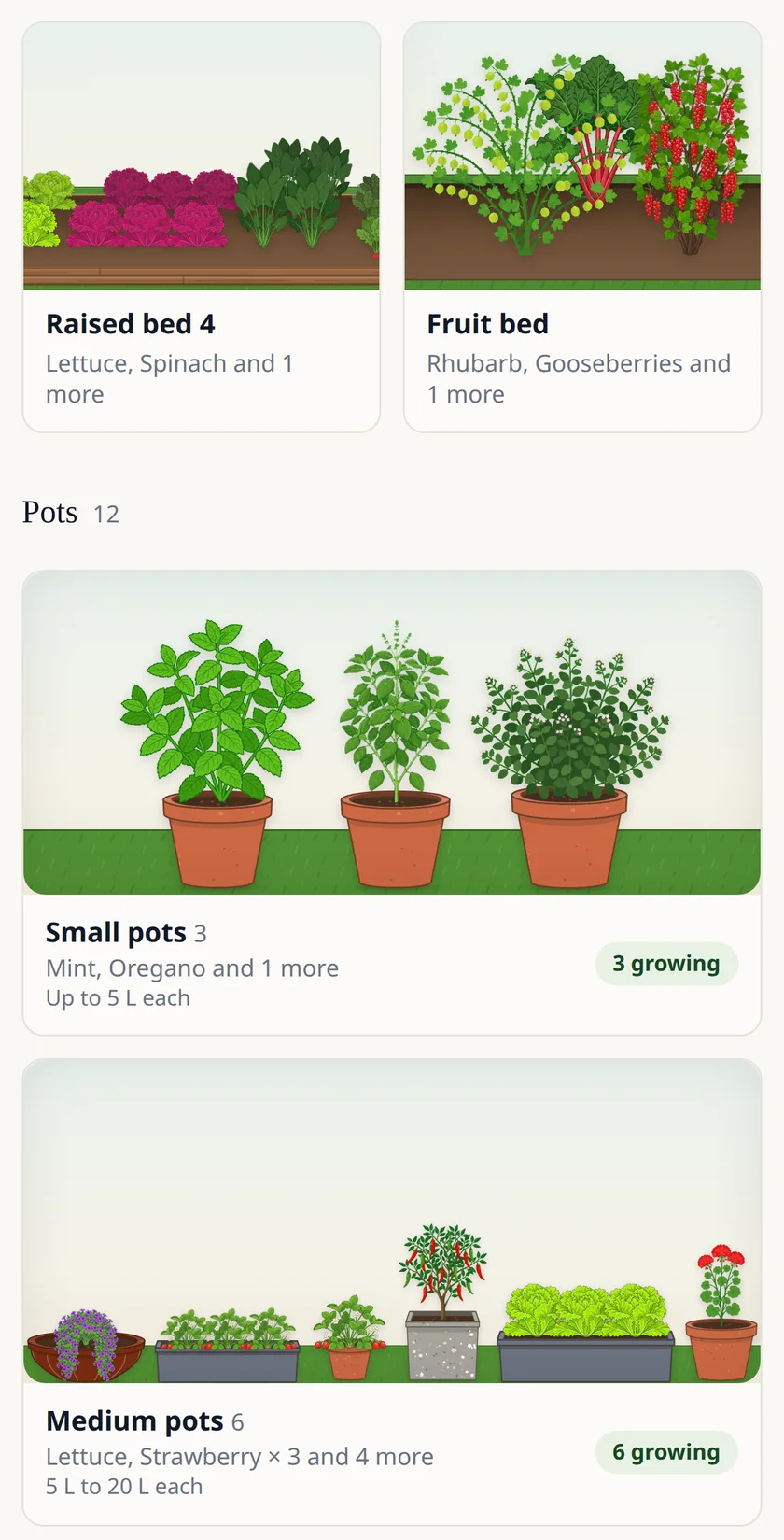
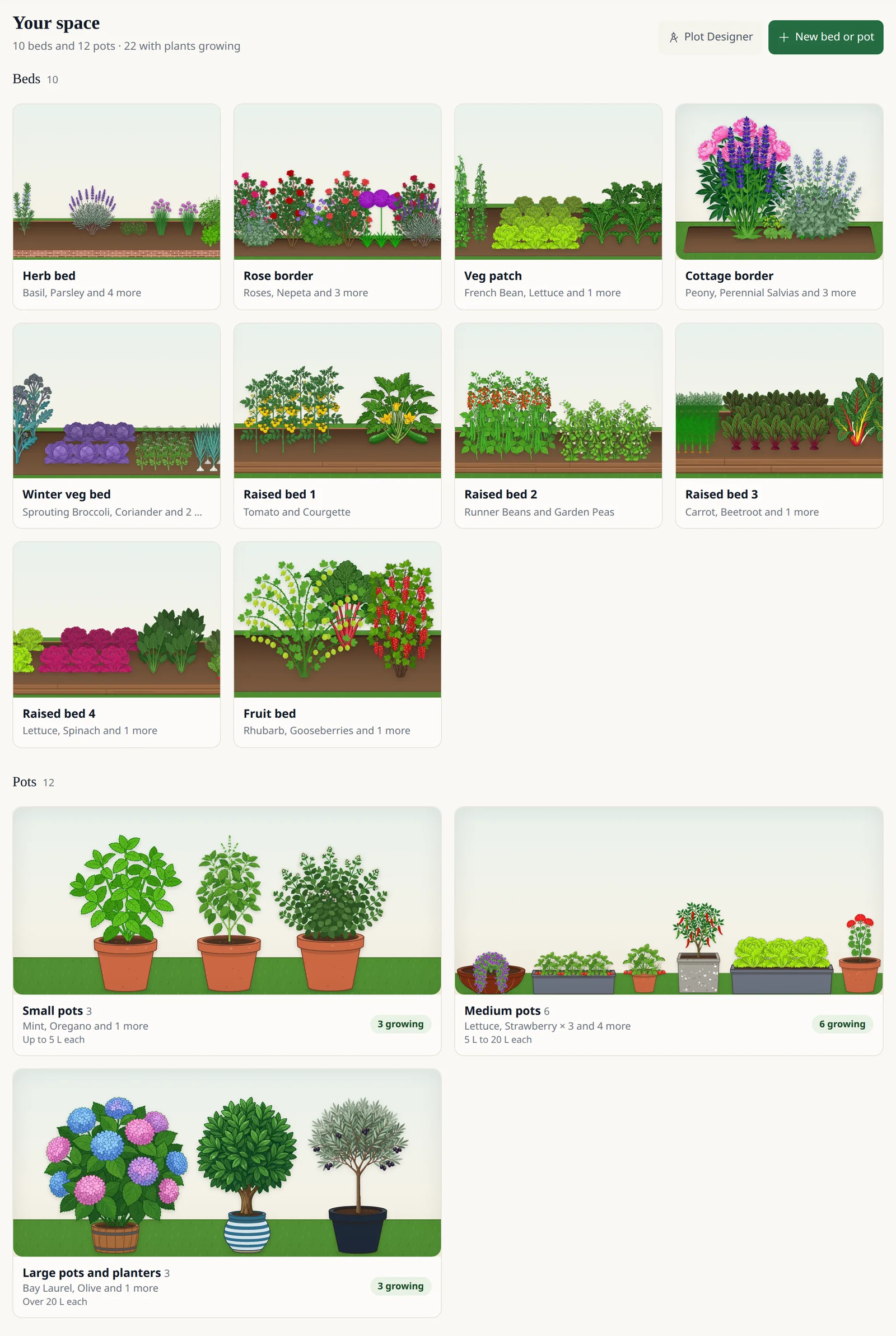
Every bed, pot and plant in the ground on one page. Each bed is drawn with what's growing in it, pots stand on shelves by size, and opening one shows what's planted there.
-
Create your own pot
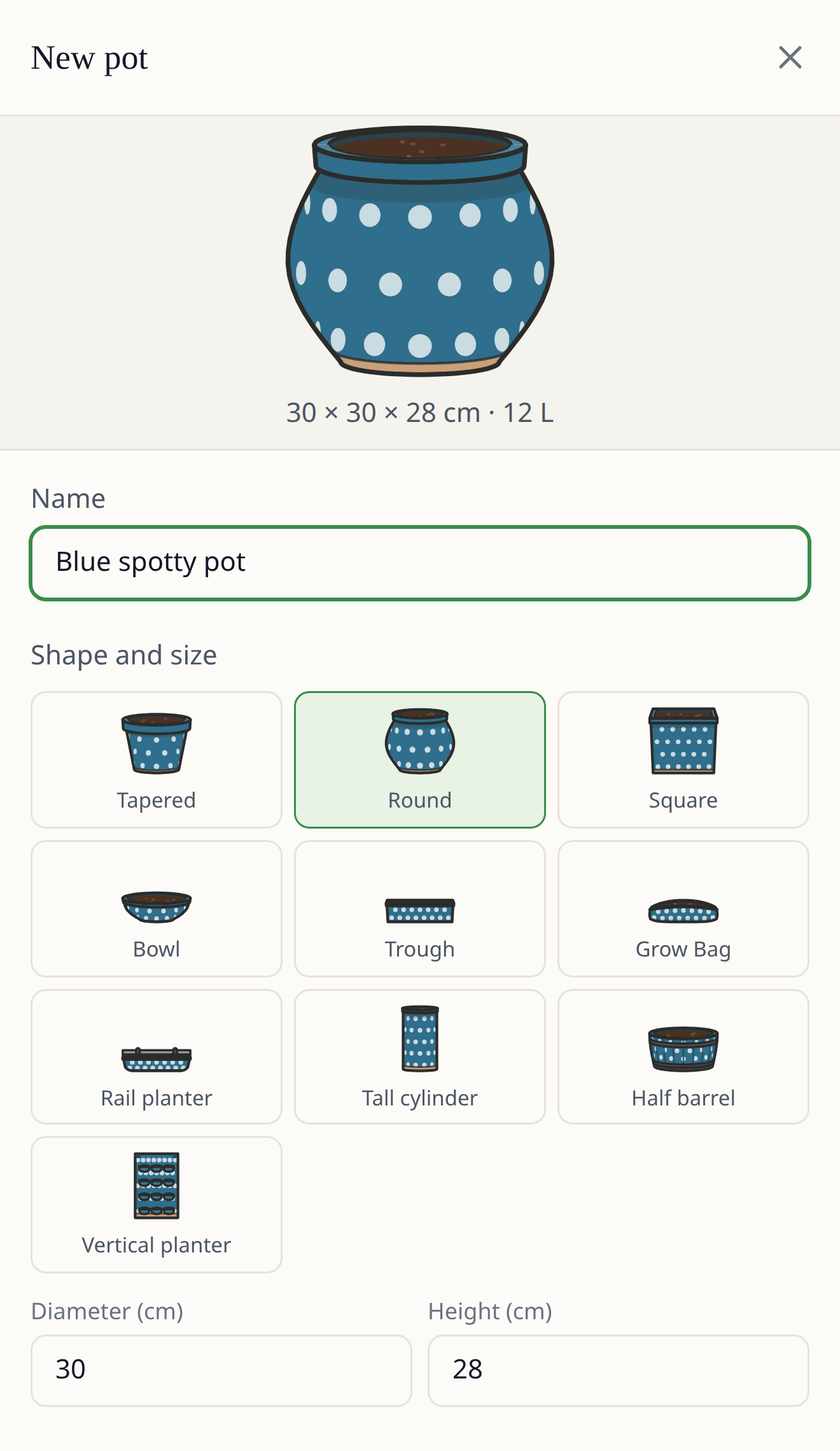
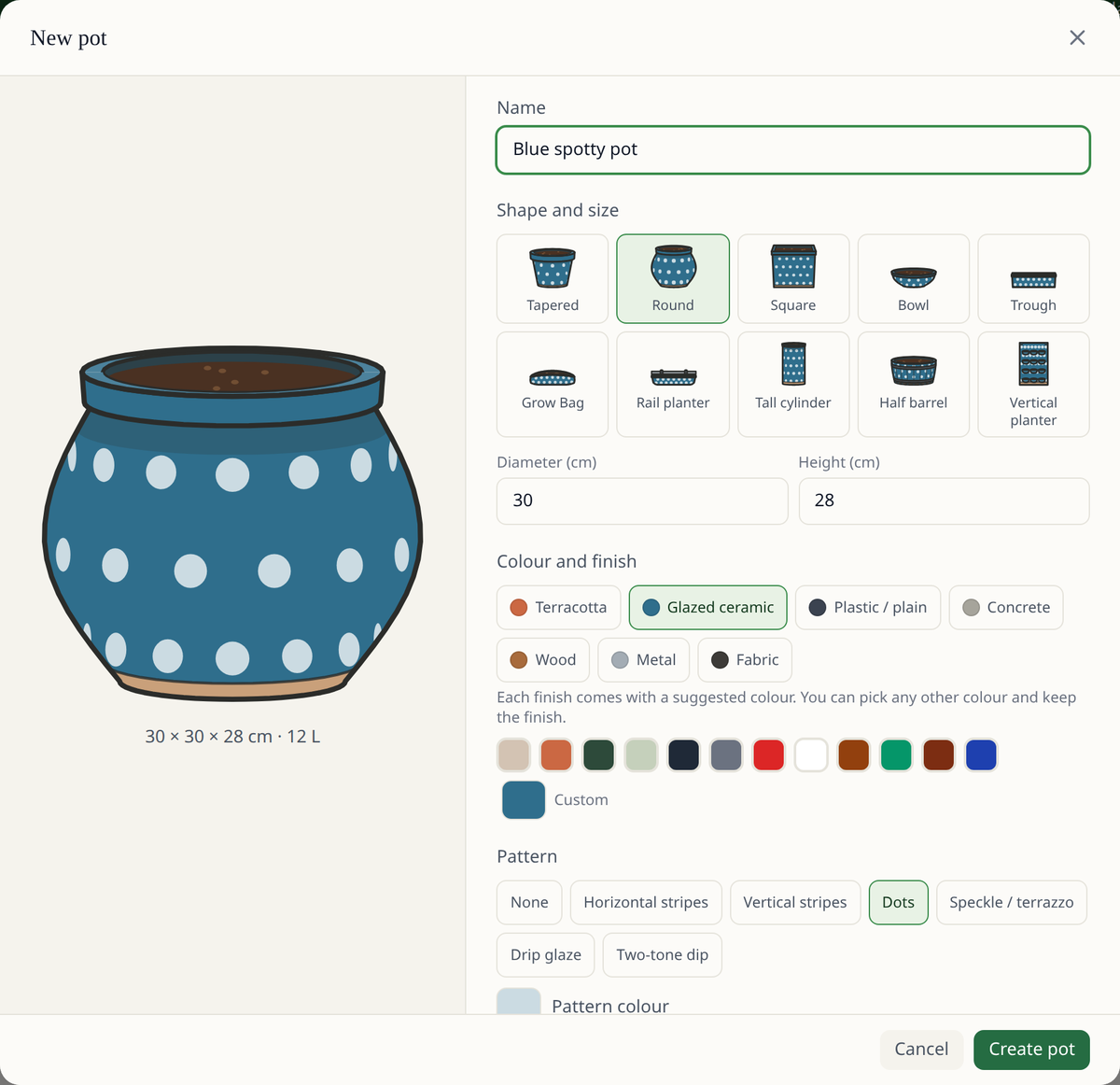
Pick one of ten shapes and set its size, then a finish (terracotta, glazed, wood, metal and more), any colour, a pattern and a rim colour. The drawing changes as you go, and Your space draws the pot the way you made it.
-
Satellite or drone photo underneath
Trace your layout over satellite imagery of your address, or line up your own aerial photo and draw on that.
-
Square-foot grid
Lay out a bed in 30 cm (1 ft) squares holding 1, 4, 9 or 16 plants each, or plant it in blocks or rows.
-
Companion planting
Each crop in a bed shows which of its bed-mates help it and which to keep apart. You can switch the markers off.
Companion Planting Checker -
Crop rotation warnings
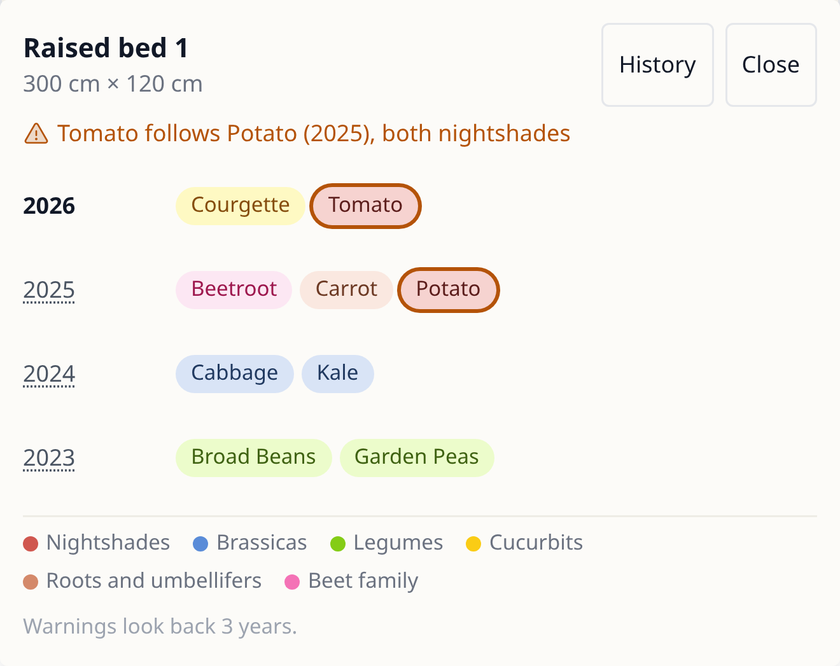
Each bed keeps up to 10 years of planting history. Put a crop where it, or a crop of the same family, grew in the last 3 years and you get a warning; you can still go ahead, and Leaftide doesn't draw up rotation plans for you.
-
Succession planting
Each crop in a bed shows when it will clear. "Plan what comes after" puts the next crop in that spot, and an empty spot shows the date it comes free.
Vegetable Garden Planner -
Ready-made garden plans
Preview a ready-made plan and adopt it into your own garden as a starting point.
-
Soil and compost
See how much soil and compost your beds and pots need each year, next to what you have already bought.
-
Public garden page
Share a read-only page of your garden at its own link. Visitors don't need an account.
Garden Gallery
Timing and reminders
Dates are worked out for your location from its frost dates and climate, then show up on the dashboard, on your phone and by email.
-
Sowing, planting-out and harvest dates
Every crop gets its sow, transplant and harvest windows from your location's frost dates and climate data.
Frost Date Finder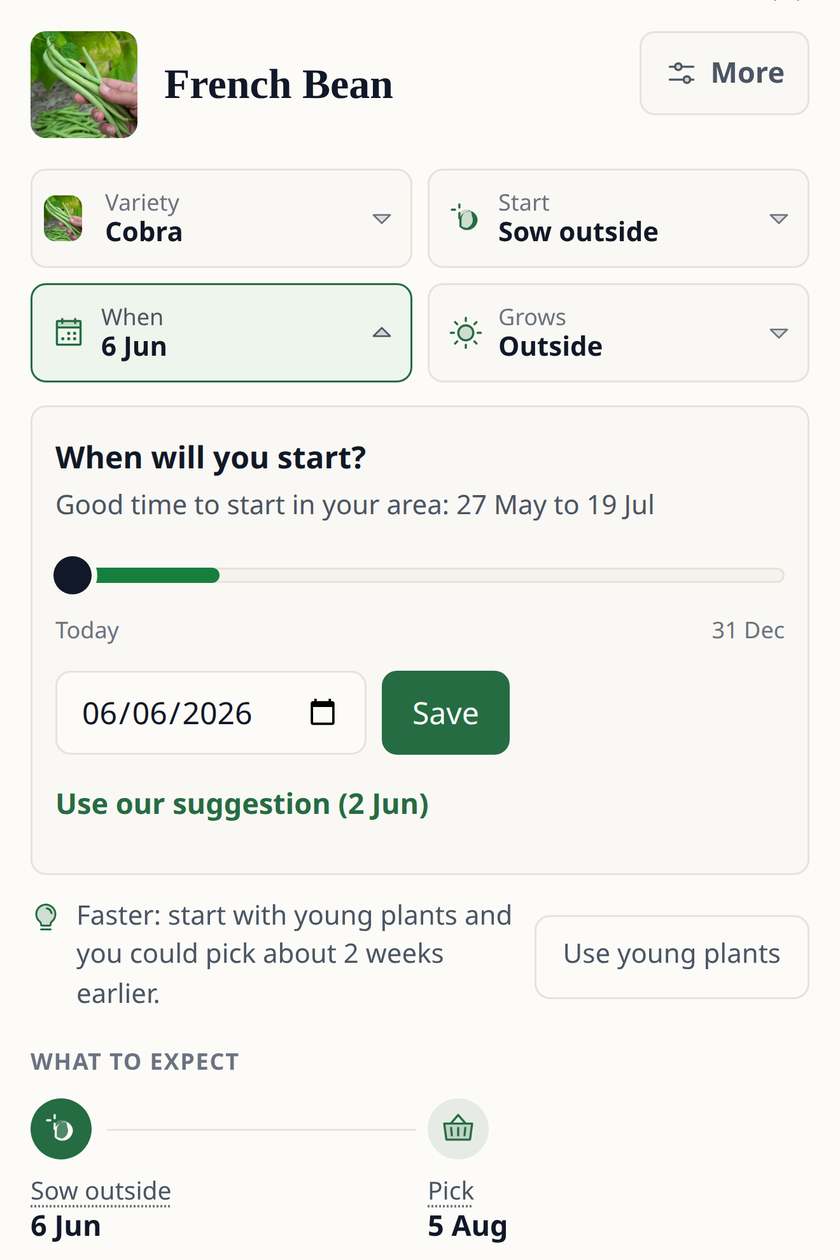
-
Can I grow it here?
Pick a crop on the dashboard and see whether your growing season has enough warmth for it.
-
Harvest predictions from growing degree days
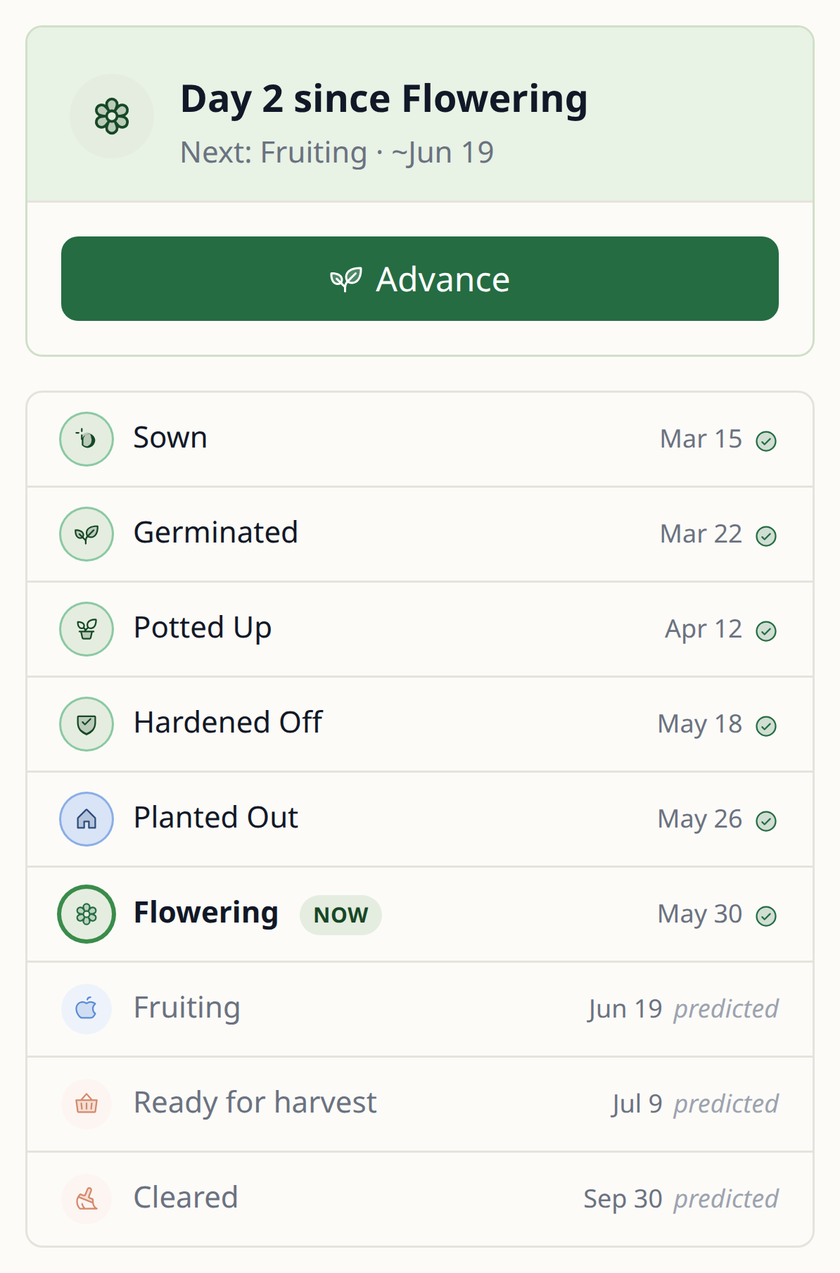
Leaftide adds up the warmth each planting gets (growing degree days) to estimate when it will flower, fruit and be ready to pick.
-
Coming Up
The dashboard lists what needs doing today and in the next 7 days, overdue jobs included, and you tick them off right there.
-
Frost alerts that name your plants
When frost is forecast, a dashboard card and a push notification name the plants to protect. Without push, the alert comes by email.
-
Seed-raising reminders
Reminders tell you when to sow, pot up, harden off and plant out, and ask whether perennial seedlings have come up.
-
Heated starts
Mark a sowing as started indoors on heat, and its dates are worked out at your indoor temperature until it goes outside.
-
Rain-aware watering
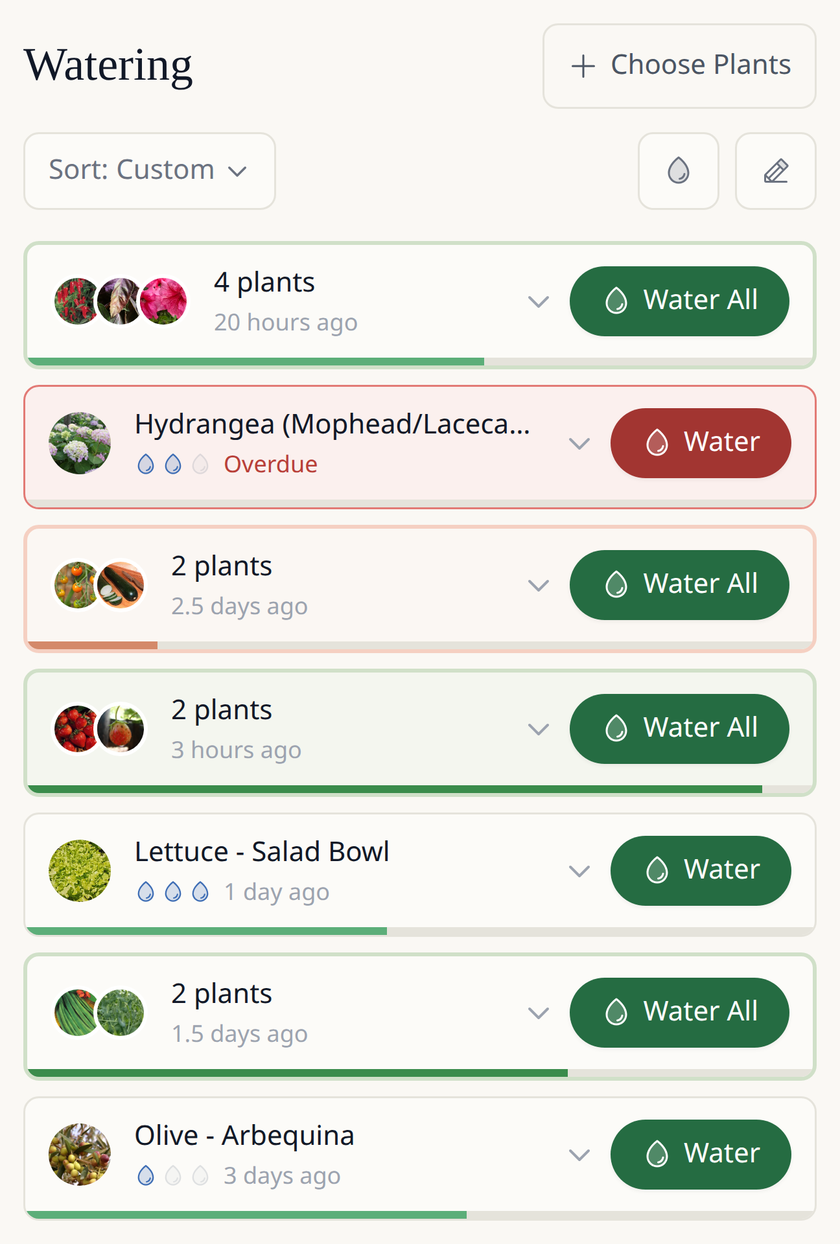
Log when beds and pots were watered. When rain is forecast, Leaftide asks whether it rained, and one tap counts the rain as watering for the plants outdoors.
Plants, trees and records
Seasonal crops and permanent plants follow different lifecycles, and Leaftide keeps them apart. What you log stays with each plant from year to year.
-
Permanent plants and fruit trees
Fruit trees, berries, shrubs and perennials stay in the garden year after year, and each plant's stage dates are learned from what you log.
Perennial Plant Tracker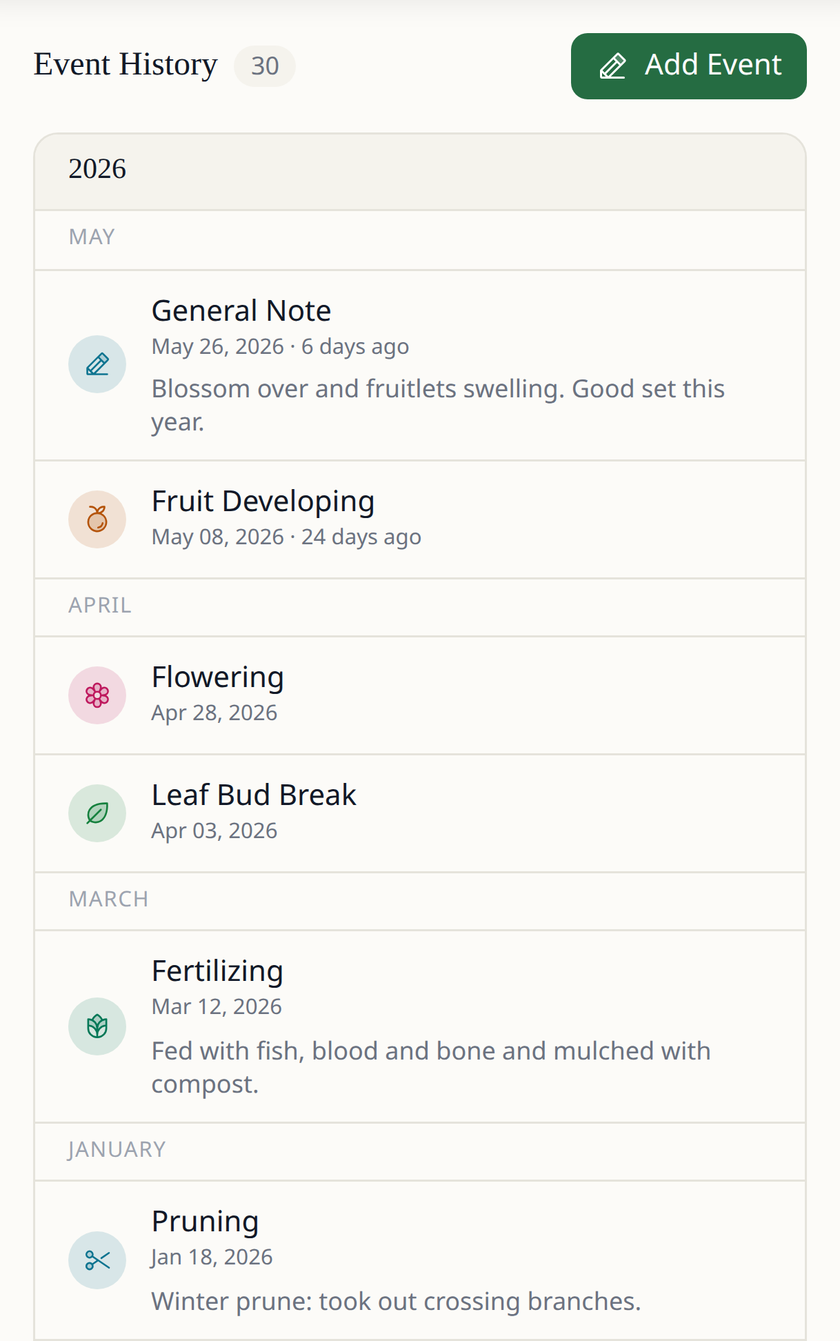
-
Care routines, sprays included
Set recurring pruning, feeding and spraying tasks for each plant, log every spray's product and amount, and pause a routine for the season.
-
Orchard blocks
Look after a row or block of trees of one variety as a single item. Each tree still counts toward the free plan's permanent plant limit.
Fruit Tree Tracker -
Multi-graft trees
Record a tree with several varieties grafted onto one trunk as a single tree.
-
Propagation batches
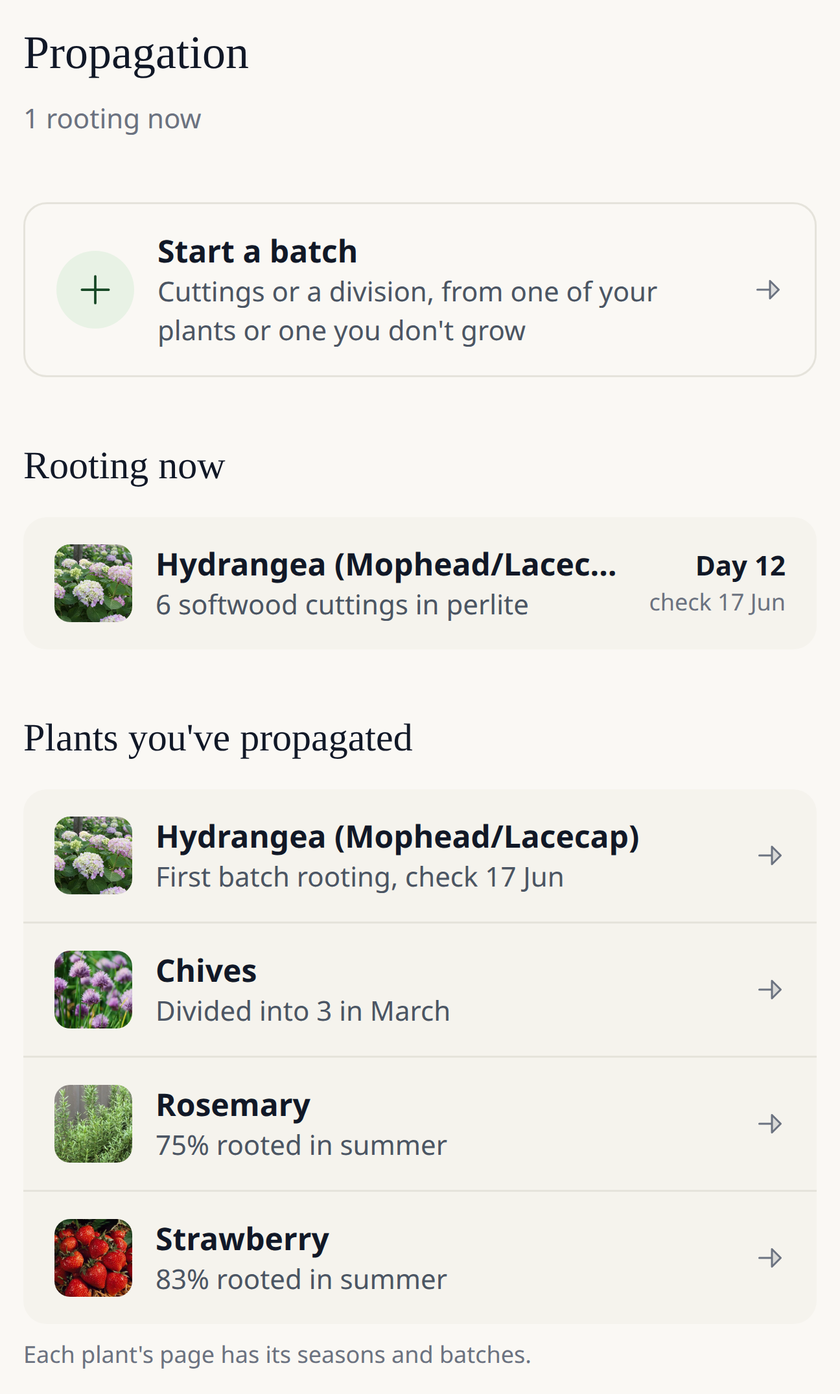
Log cuttings (softwood, semi-ripe or hardwood), divisions, layers and runners. A reminder tells you when to check for roots, rooting rates are kept by season, and rooted plants join your garden.
-
Harvest log and Season Review
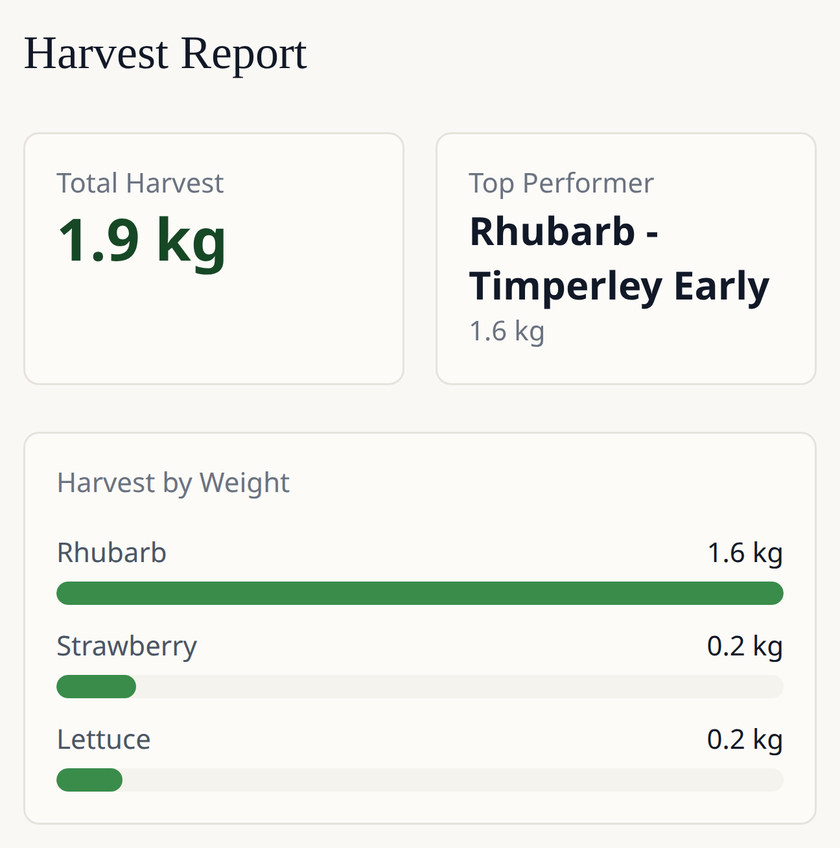
Record each harvest's amount and quality, then look back over the year in Season Review.
-
Journal with photos
Keep dated notes and photos, linked to the plants they are about.
-
Pest and disease sightings
Log a pest or disease when you see it, so you know when to look out for it next year.
-
Pests and diseases for each plant
Each plant's guide lists the pests and diseases that commonly affect it.
-
Plant catalogue
1,200+ plants, 1,000+ of them permanent, and 1,500+ named varieties, plus any varieties you add yourself.
Plant Library
Apps, reminders and your data
One account on your phone and computer, in your language, and your data is yours to download.
-
iPhone, Android and web
The native apps for iOS and Android and the web app share one account.
-
Six languages
Use Leaftide in English, German, French, Spanish, Dutch or Italian.
-
Daily push reminders
On days something is due, your phone gets a reminder at the time you choose.
-
Weekly digest email
Once a week, an email with what's coming up in your garden.
-
Daily digest email Pro
An email each day with the tasks and reminders coming up.
-
Full data export
Download everything as JSON or CSV in one zip file, photos included.
Free and Pro
The free plan has no time limit and needs no card. Pro lifts its limits and adds a few extras.
Free
No time limit, no card
- 15 seasonal plantings a season
- 30 permanent plants
- 10 pots
- 5 custom varieties
Every feature on this page is included except the daily digest email and your own fertilizers, suppliers and soil mixes.
Pro
Everything in Free, plus:
- No free-plan limits on plantings, permanent plants, pots or custom varieties
- Your own fertilizers, suppliers and soil mixes
- The daily digest email
What Leaftide doesn't do
Worth knowing before you sign up, in case one of these matters to you.
-
No offline mode
Leaftide needs an internet connection, in the apps as well as on the web.
-
One garden per account
You can't keep two separate gardens, such as a home garden and a community plot, under one login.
-
No shared editing
Only the account owner can change the garden. Others can see your public page if you share it.
-
No AI plant identification
Leaftide doesn't identify plants or diagnose problems from photos.
-
No import from other apps
Plans and records from other garden apps can't be imported.
-
No seed inventory
There is no list for keeping count of the seed packets you have.
-
No calendar export
Dates and tasks can't be sent to Google Calendar, Apple Calendar or another calendar app.
Questions about Leaftide's features
Does Leaftide do crop rotation?
Yes. Each bed keeps up to 10 years of planting history, with crops color-coded by family. Placing a crop where it or its family grew in the last 3 years shows a warning, and you decide whether to go ahead. Leaftide doesn't draw up rotation plans for you.
Can Leaftide keep records for fruit trees and perennials?
Yes. Fruit trees, berries, shrubs and perennials are permanent plants with their own care routines, sprays, harvests and stage history, and orchard blocks and multi-graft trees are supported. The free plan includes 30 permanent plants.
Does Leaftide work offline?
No. Leaftide needs an internet connection, on the web and in the iOS and Android apps.
What does the free plan include?
Every feature except the daily digest email and your own fertilizers, suppliers and soil mixes, for up to 15 seasonal plantings a season, 30 permanent plants, 10 pots and 5 custom varieties. It has no time limit.
Plan the garden you actually have
Free for 15 seasonal plantings a season and 30 permanent plants, on the web, iPhone and Android.
Start growing free
