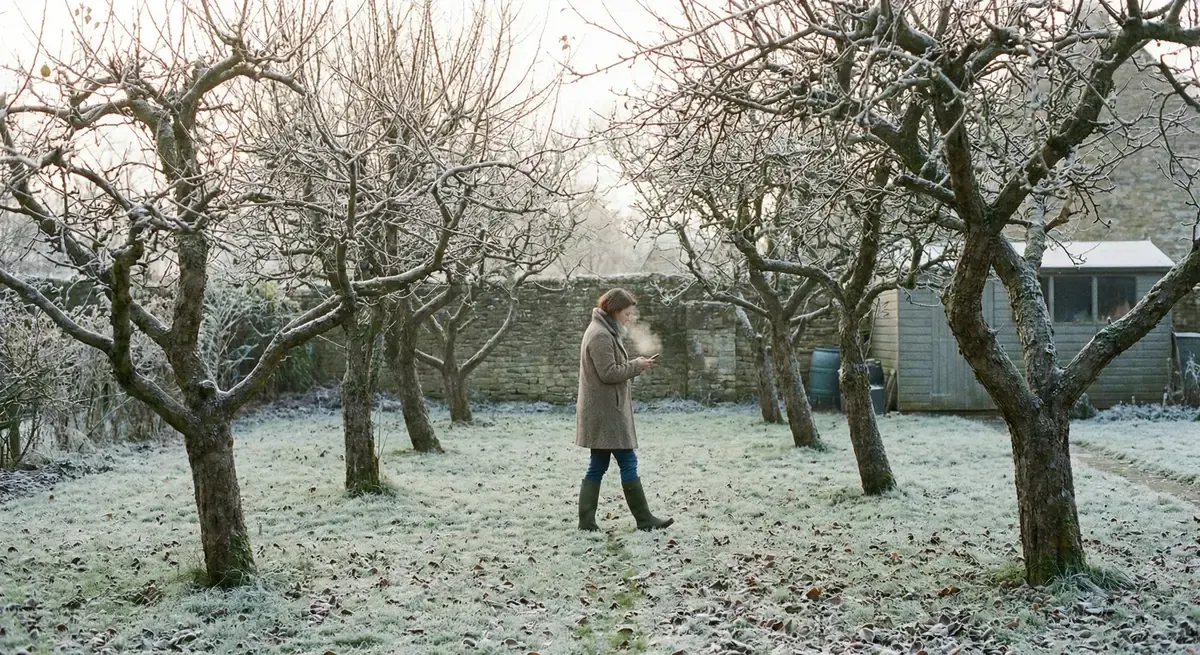
I planted my first apple tree eight years ago. A Bramley, from a local nursery. Or was it a Blenheim Orange? I am honestly not sure anymore. The label faded, I never wrote it down, and now I have twelve trees and can only confidently name three of them.
This is the problem with home orchards: they grow faster than memory. That first tree seemed so memorable at the time. I was certain I would always know what it was. Then came the plum, then the pear, then a few more apples because the first one was doing well. Somewhere along the way, I stopped being able to keep track of what was where.
Commercial orchard management software exists, of course. I looked at it once. Farmable, CropTracker, systems designed for orchards with hundreds or thousands of trees, harvest logistics, spray compliance, labour tracking. Overkill for someone with a dozen trees in their back garden. I did not need enterprise software. I needed something simpler.
Why home orchards need records
You might think a small orchard does not need formal record-keeping. A few trees, how hard can it be to remember?
Harder than you think. In summer, when the trees are leafy and distinctive, forgetting variety names seems impossible. Come winter, every tree is a bare skeleton of similar-looking branches. That label you were sure would last forever has faded to illegible. The tree you thought was obviously different from its neighbour now looks identical.
Care tasks blur together. When did you last prune the pear? Was it two years ago or three? Did you spray for winter moth this year, or did you mean to and forget? What fertiliser did you use on the struggling plum, and did it help? Without records, every year starts with the same uncertainty about what happened before.
Trees live decades. A fruit tree can be productive for fifty years or more. You will not remember what you did to it in year three when you are standing in front of it in year fifteen.
Patterns emerge from data. Which trees thrive and which struggle? Which spots in your garden produce good fruit? You cannot see these patterns without years of notes to compare. Without records, you are guessing.
I learned all this the hard way. After eight years of no records, I had a garden full of trees whose histories I could not reliably reconstruct.
What to track for each tree
The good news is that you do not need to track everything. Commercial orchards generate enormous data because they have commercial concerns: spray compliance, labour costs, harvest logistics. A home orchard needs a fraction of that.
Here is what actually matters for each individual tree:
Identity
- Variety name. I used to write “apple tree” on my labels. Useless. You need the actual cultivar: Bramley, Cox, Conference, Victoria. If you do not know it, try to find out. If you cannot, at least document what you observe: “Unknown red apple, possibly dessert variety.”
- Rootstock. This affects how big the tree will get. MM106, M26, Quince A. Often on the original label, worth recording if you have it.
- Source. Which nursery did you buy it from? After five years, I noticed that trees from one nursery consistently outperformed trees from another. Now I pay attention.
- Planting date. When did it go in the ground? This tells you how old the tree is and helps explain why it is or is not producing yet.
Location
Where in the garden does it live? You can use a description (“back corner by the fence”), a bed name if you have named areas, or a simple map. The goal is to unambiguously identify which tree you are talking about.
Care history
- Pruning. When did you prune it? Was it a light, moderate, or heavy prune? What did you remove?
- Feeding. When did you fertilise it? What did you use?
- Spraying. If you spray, what did you apply and when? Winter wash, dormant spray, in-season treatments.
You do not need elaborate detail. “February 2025: moderate prune, removed dead wood and crossing branches” is enough. The point is to have something to refer back to.
Health observations
What problems have you noticed? Pest issues, disease signs, concerning growth patterns. These notes build into a picture of the tree’s vulnerabilities over time.
Harvest
When did you harvest? How much fruit did you get? Was the quality good or poor? Even rough estimates (“two baskets,” “best year yet”) help you track productivity over time.
Photos
A photo at planting is invaluable because it captures the original label that will inevitably fade or fall off. Seasonal photos show how the tree has developed. Problem photos document pest or disease issues so you can identify them if they return. And a photo of a good harvest reminds you what to aim for next year.
What to track for the orchard overall
Beyond individual trees, some information applies to the whole orchard:
Weather events. Late frosts, droughts, heatwaves, unusual cold snaps. These explain outcomes across all your trees. If everything flowered poorly in 2024, a late frost in April might be why.
Spray schedule. If you spray, keep a central record of what you applied and when. This helps with timing next year and ensures you do not apply the same product too often.
Annual tasks. Winter wash dates, mulching rounds, general maintenance. These repeating tasks are easy to forget from year to year.
Purchases. What trees did you buy? What supplies? A running list prevents duplicate purchases and helps you find suppliers again.
Simple systems that work
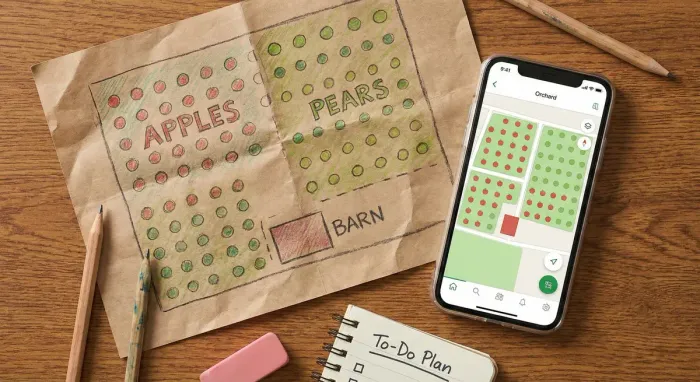
A paper notebook is the simplest approach. I used one for years. Give each tree a page, write the identity information at the top, add dated entries as things happen. There is something satisfying about a physical record. But you cannot search it, photos are awkward to include, and pages get damaged or lost. If your notebook is inside when you notice something in the garden, the observation often never gets recorded.
A spreadsheet solves the search problem. One row per tree, columns for variety, rootstock, planting date, location. You can sort and filter. But spreadsheets do not handle photos or long notes well, and they become unwieldy as your records grow.
A dedicated app handles both. Each tree gets a profile. Tasks log with dates. Photos attach directly to entries. You can search, you can set reminders, and you have your phone in the garden anyway. The tradeoff is finding the right app and trusting that it will still work in ten years.
I switched from paper to digital not because paper stopped working, but because I wanted to search five years of pruning notes and attach photos without tape and scissors.
Starting your records mid-orchard
Perhaps you are reading this and thinking: too late. I already have trees. I never wrote anything down. But incomplete records are still better than no records, and you can start building them now.
Start with what you know. Walk through your orchard with a notebook or phone. For each tree, write down everything you can remember or figure out:
- Variety, if you know it. If not, “unknown apple, red fruit” is a starting point.
- Approximate planting date, even if just “around 2018” or “before we moved in.”
- Any history you recall. “Pruned heavily three years ago.” “Had a bad aphid problem once.”
Identify unknowns over time. For trees you cannot identify, take photos of the leaves, bark, and especially the fruit when it appears. Identification apps help. So do fruit tree forums where enthusiasts enjoy a challenge. Once you have a name, add it to your records.
Draw a map. Even a rough sketch showing which tree is where helps enormously. Label each tree with a number or name. This becomes your reference when writing entries.
Start recording from today. You cannot reconstruct the past perfectly, but you can capture everything going forward. Next time you prune, note it. Next time you spot a problem, photograph it. By this time next year, you will have a year of data. By the year after, you will see patterns forming.
The best time to start orchard records was when you planted your first tree. The second best time is now.
How Leaftide simplifies orchard records
I built Leaftide for vegetables originally, but it turned out to work well for trees too. Each fruit tree becomes a permanent plant with its own profile and history.
I created an entry for my Bramley (or whatever it is), my Victoria plum, my Conference pear. Each has a name, variety, rootstock if known, planting date, and location. When I prune, I record it against that specific tree. When I spray, same thing. When I notice a problem, I add a note with a photo attached. Each entry is timestamped automatically.
I can set reminders for seasonal tasks: winter wash in December, dormant spray before bud break, summer prune in August. And when I want to know when I last pruned a specific tree, I open its record and see the timeline. The data is organised by plant, so comparing how different trees performed is straightforward.
The point is not to create more work. It is to have the information there when you need it.
An orchard without records is just guessing.
Every tree in your orchard gets its own profile, with variety, planting date, and full care history. See what you did last year and learn what works for your trees.
Free for up to 30 plants. No card needed.
Learn more about orchard tracking in Leaftide
Getting started
You do not need special tools to begin keeping orchard records. A notebook works. A spreadsheet works. An app works. The format matters less than the habit of recording.
Start this season. Walk through your trees and document what you know. Next time you do any work, write it down. Take photos when you notice something interesting or concerning.
Five years from now, you will know your orchard in a way that is impossible when everything lives only in your head.
The fruit tree that I planted eight years ago, the one I cannot confidently identify anymore, taught me this lesson. I do not want to be standing in front of my newest trees in 2034 wondering what they are and what I did to them.
Record keeping is how orchards develop memory. Give yours one.
Sources and further reading
For general fruit tree care and orchard management, these resources are authoritative:
- RHS: Growing Fruit - Comprehensive guidance on fruit tree care
- RHS: Keeping a Garden Diary - General record-keeping advice
- Garden Organic: Fruit Growing - Organic approach to home orchards
- Northern Fruit Group - UK-focused fruit growing community
For more on tracking specific aspects of your orchard:
- Fruit Tree Pruning Logs - Detailed guidance on recording pruning sessions