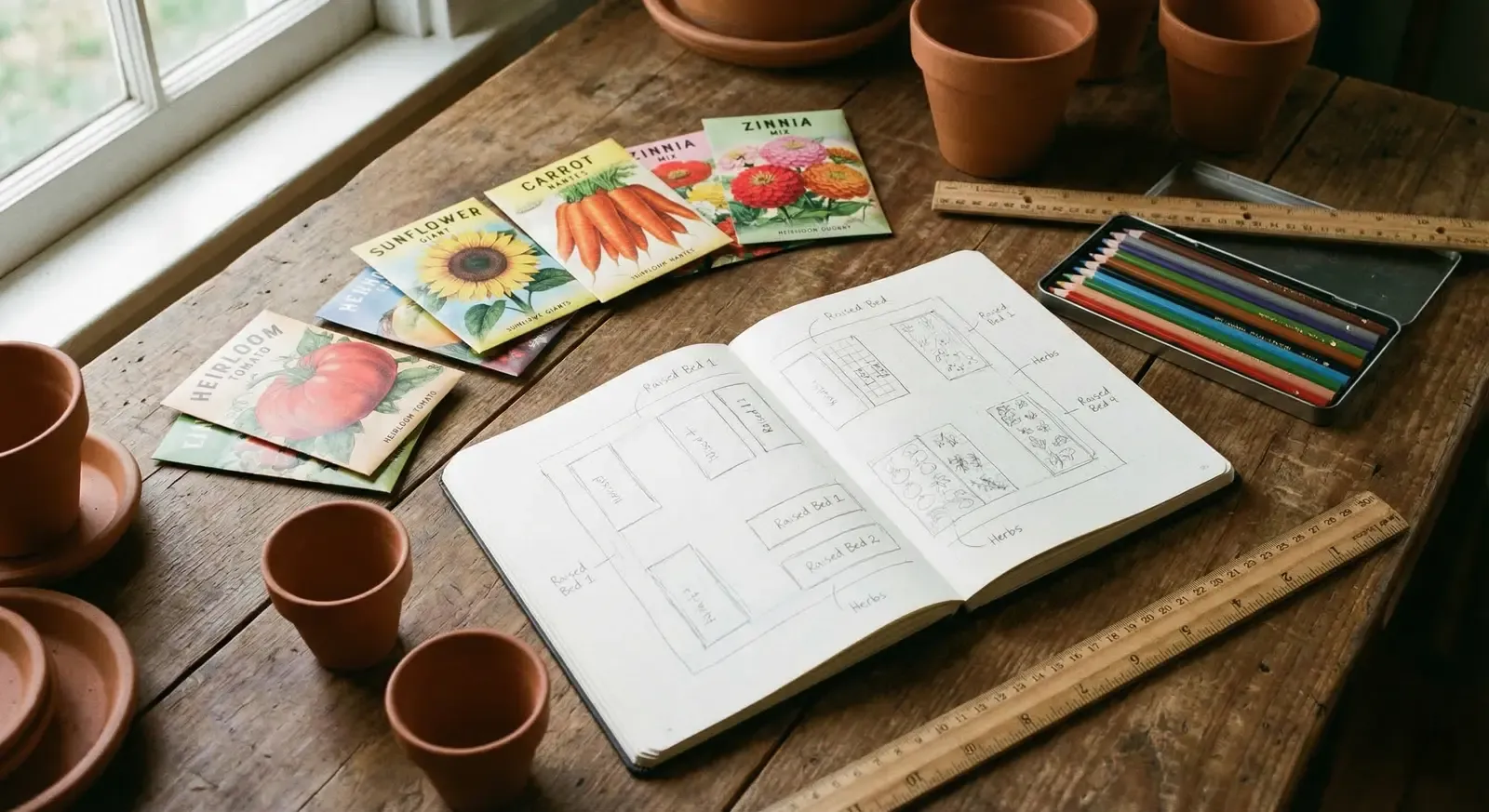
Every spring I end up in the same place: standing in the garden with a phone in one hand and a seed packet in the other, trying to figure out if I am too early, too late, or just right. The seed packet says “sow March to May.” My weather says 4 degrees and rain. The app on my phone says something different again.
I have tried nearly every garden planning app out there. Some for a season, some for years. I have paid for subscriptions, abandoned free trials, exported data, lost data, and once accidentally deleted an entire garden plan the night before planting day. I have used spreadsheets, paper notebooks, and at one desperate point, a whiteboard on the shed wall that got rained on.
This is what I have learned after five years of trying to find the right tool. No app is perfect. Each one makes trade-offs. The right choice depends on what you grow, how you think about planning, and whether you care about things like fruit trees or just want to lay out your raised beds. Here is an honest look at each major option — including the one I built — where it is strong and where it lets you down.
The problem most apps ignore
Here is something that frustrated me for years: almost every garden planning app assumes you only grow annual vegetables.
Tomatoes, courgettes, beans, lettuce. The seasonal stuff. And for that, many of them are genuinely good. You drag a tomato icon onto a bed, the app tells you when to sow, and you get a nice calendar.
But what about the apple tree I planted three years ago? The raspberry canes that need different care each year? The rosemary bush that has been in the same spot since 2021? The lavender hedge I prune every August?
Most apps have no concept of a plant that lives longer than one season. You cannot log a pruning date for a pear tree. You cannot track which year your fig finally fruited. You cannot see the history of a blueberry bush across multiple seasons.
If you only grow annual veg, this does not matter. But if your garden includes fruit trees, berry bushes, perennial herbs, or anything permanent, you will hit this wall quickly. I did. I had a thriving apple tree, two plum trees, a row of raspberry canes, and a dozen perennial herbs — and none of them existed in my garden app. They lived in a separate notebook, which defeated the entire purpose of having a digital system.
The other gap is scheduling precision. Most apps give you a planting window based on your USDA zone or a rough frost date. That is better than nothing, but it does not account for whether you are starting seeds under grow lights, using a heated propagator, growing in containers versus beds, or gardening in a frost pocket versus a sheltered courtyard. These details shift your sowing dates by weeks, and most apps ignore them entirely.
What to look for in a garden planning app
Before diving into individual apps, here is what I think actually matters. These are the criteria I used when testing each one.
Scheduling intelligence. Does the app just give you a generic “sow in March” date, or does it use your actual location and climate? The difference between a frost-prone valley and a sheltered urban garden can be weeks. Good scheduling accounts for that.
Permanent plant support. Can you track plants that live for years? Fruit trees, berry bushes, perennial herbs? Can you log pruning, note problems, track harvests across seasons? If your garden has anything permanent, this matters enormously.
Journal and tracking. Can you attach photos to specific plants? Log observations with dates? Search your records later? A garden app without decent tracking is just a pretty calendar.
Ease of use. How quickly can you set up a garden and start planning? Is the interface intuitive or do you need a tutorial? Some apps are powerful but overwhelming. Others are simple but limited.
Price. What do you get for free, and what costs money? Is the pricing fair for what you get?
GrowVeg — the established all-rounder
GrowVeg has been around for years and it shows. This is the most mature garden planning tool on the market, and for good reason.
The drag-and-drop garden layout is genuinely excellent. You draw your beds, drag plants into them, and the app handles spacing, companion planting warnings, and crop rotation tracking. If you have used it, you know the satisfaction of seeing your entire plot laid out on screen with everything colour-coded and neatly arranged.
The plant database is enormous. Hundreds of varieties with detailed growing information. The companion planting feature highlights good and bad neighbours automatically. Crop rotation tracking remembers what you grew where last year and warns you about repeating families in the same spot.
GrowVeg also adjusts sowing dates to your location, though in my experience the dates are based on broad climate zones rather than precise local data. Close enough for most people, but not as granular as it could be.
Where GrowVeg shines:
- Best drag-and-drop garden layout tool available
- Huge plant database with detailed growing info
- Crop rotation tracking across seasons
- Companion planting built into the layout view
- Mature, stable, well-supported
Where it falls short:
- No permanent plant tracking whatsoever. Fruit trees, berry bushes, perennials — none of these fit into GrowVeg’s model
- Sowing dates are zone-based, not climate-precise
- The interface can feel cluttered, especially on mobile
- Pricing is on the higher side at $50/year (or $35/year on auto-renew)
- Primarily a layout tool — the journaling and tracking features are secondary
Best for: Gardeners who want a visual bed layout with crop rotation and companion planting. If your garden is mostly annual vegetables in defined beds, GrowVeg is the most complete tool for that job.
Price: 7-day free trial, then $35/year (auto-renew) or $50/year.
Want a detailed head-to-head?
I wrote a full comparison of Leaftide and GrowVeg covering scheduling, plant support, and workflow differences. Read the full comparison.
Planter — simple, visual, great for beginners
Planter is the app I recommend to friends who are starting their first garden. It does fewer things than GrowVeg, but what it does, it does cleanly.
The interface is immediately intuitive. You create a garden grid, tap to place plants, and the app shows you companion planting compatibility with a simple colour system. Green means good neighbours, red means bad. No manual required.
The growing calendar tells you when to start seeds and when to transplant based on your frost dates. It is straightforward and easy to read. The seed box feature helps you track what seeds you have on hand, which is a small but genuinely useful touch.
Planter is also one of the few apps that feels good on a phone. Most garden planners are designed for desktop and feel cramped on mobile. Planter was built mobile-first and it shows.
Where Planter shines:
- Extremely easy to learn and use
- Clean, intuitive companion planting display
- Works well on mobile
- Seed box for tracking your seed inventory
- Affordable: $24.99/year or $99.99 lifetime
- Generous free tier (one garden with full features)
Where it falls short:
- Limited plant database compared to GrowVeg
- No crop rotation tracking
- No permanent plant support
- Scheduling is basic — frost date based, not climate-aware
- Journaling features are minimal (notes and events in premium only)
Best for: New gardeners, small gardens, anyone who wants something simple that just works. If you are overwhelmed by the complexity of other apps, start here.
Price: Free (1 garden), $24.99/year premium, $99.99 lifetime.
Gardenize — the photo journal
Gardenize takes a different approach. Instead of being a planner, it is primarily a garden journal with a strong focus on photos.
The idea is simple: for each plant, you build a visual diary. Add photos, write notes, tag activities. Over time, you accumulate a photo history of your garden that you can browse and search.
It works well for what it is. If you are the kind of gardener who takes lots of photos and wants them organised by plant rather than lost in your camera roll, Gardenize does this better than most. You can create areas in your garden and assign plants to them, giving you a basic spatial organisation.
The plant identification feature (added recently) lets you photograph an unknown plant and get a suggested ID. Useful if you inherit a garden or find something unexpected growing.
Where Gardenize shines:
- Excellent photo organisation by plant
- Simple, clean interface
- Plant identification feature
- Good for building a visual history over time
- Very affordable (around $12/year)
Where it falls short:
- Not really a planner — no layout tool, no bed design
- No scheduling or sowing date intelligence
- No companion planting or crop rotation
- Limited task management
- The free version is quite restricted
Best for: Gardeners who want a photo-first journal. If your main goal is documenting your garden visually and you do not need planning features, Gardenize is purpose-built for that.
Price: Free (limited), approximately $12/year for Plus.
Seedtime — seed starting and planting calendars
Seedtime focuses on the part of gardening that stresses people out most: knowing when to start seeds.
You enter your location, select your crops, and Seedtime generates a planting calendar showing when to start seeds indoors, when to direct sow, and when to transplant. It includes video masterclass lessons walking you through each phase, which is a nice touch for less experienced growers.
The Sprout Bot (their AI assistant) answers gardening questions within the app. The task management lets you mark things as complete and sync with the calendar.
Where Seedtime shines:
- Focused, clear planting calendar
- Good educational content (video lessons)
- Task tracking synced with the calendar
- AI assistant for quick gardening questions
- Free tier includes the planting calendar
Where it falls short:
- No garden layout or bed design tool
- No companion planting features
- No permanent plant support
- Limited journaling — more of a task tracker than a record keeper
- The app is relatively new and still maturing
Best for: Gardeners who primarily want to know when to start seeds and want guided, educational content alongside their calendar.
Price: Free (calendar), paid tiers for full features.
Almanac Garden Planner — the classic name
The Old Farmer’s Almanac Garden Planner carries a name that gardeners trust. It is essentially the same underlying technology as GrowVeg (they share a platform), branded with the Almanac’s identity and integrated with their extensive gardening content.
The layout tool works the same way: drag-and-drop beds, automatic spacing, companion planting indicators. The plant database is large and the growing information is solid, backed by the Almanac’s decades of gardening knowledge.
What sets it apart is the integration with Almanac content. Frost date lookups, planting calendars, and growing guides all tie into the broader Almanac ecosystem. If you already use the Old Farmer’s Almanac for weather and gardening advice, this feels like a natural extension.
Where the Almanac Planner shines:
- Trusted brand with deep gardening knowledge
- Same powerful layout engine as GrowVeg
- Integration with Almanac frost dates and growing guides
- Large plant database
- Good companion planting and crop rotation
Where it falls short:
- Same limitations as GrowVeg (no permanent plants, zone-based dates)
- Interface feels dated compared to newer apps
- Pricing is similar to GrowVeg (around $50/year for single year)
- Mobile experience is not great
- Built on the same underlying platform as GrowVeg
Best for: Gardeners who already trust the Old Farmer’s Almanac brand and want their planning tool integrated with that ecosystem.
Price: 7-day free trial, approximately $50/year.
Leaftide — climate-aware scheduling and permanent plants
Full disclosure: I built Leaftide. I am going to be honest about what it does well and where it falls short, because you can read the marketing page yourself and I would rather you trust this comparison.
I built Leaftide because I could not find an app that handled two things I cared about: precise, climate-aware sowing dates and tracking permanent plants alongside seasonal ones.
The scheduling engine uses your actual location data — frost risk, day length, soil temperature signals, and growing degree days — to calculate when to sow, transplant, and expect harvests. It is not zone-based. It accounts for your specific setup: whether you are using grow lights, a heated propagator, raised beds, or containers. Change a variable and the dates shift in real time with a short explanation of why.
The permanent plant tracking is the feature that does not exist elsewhere. Every fruit tree, berry bush, and perennial herb gets its own profile with a full history. Pruning logs, harvest records, photos, observations — all searchable across years. When did I last prune the apple tree? When did the fig first fruit? Which raspberry canes produced best? That information lives in one place.
There is also a visual plot designer for mapping your beds and borders, a container planner for pots and grow bags, care routines with yearly reminders for things like pruning and feeding, and a garden to-do list tied to your plants. You can track specific varieties — “Bramley” vs “Cox’s Orange Pippin” — rather than just generic “Apple Tree.”
Where Leaftide shines:
- Climate-aware scheduling that adjusts to your exact setup (not zone-based — uses frost risk, day length, soil temperature signals, and growing degree days)
- Only app with dedicated permanent plant tracking
- Visual plot designer for mapping beds and borders
- Container planner for pots and grow bags
- Care routines with yearly reminders (pruning, feeding, spraying)
- Garden to-do list tied to your plants
- Companion planting suggestions built into the app
- Watering tracker for logging and monitoring irrigation
- Visual timeline showing your whole season
- Individual plant profiles with full history — notes and photos attached to specific plants
- Tracks specific varieties (e.g. “Bramley” vs “Cox’s Orange Pippin”), not just generic “Apple Tree”
- Works for mixed gardens (annual veg + fruit trees + perennials)
Where Leaftide falls short:
- Smaller plant database than GrowVeg — growing, but not as comprehensive
- Newer app with a smaller community. Less content, fewer guides, fewer forum posts to search
- No crop rotation tracking
- No crop rotation tracking
- The learning curve is slightly steeper than Planter for absolute beginners
Best for: Gardeners who grow a mix of annual vegetables and permanent plants (fruit trees, berries, perennial herbs). Gardeners who want precise, climate-adjusted scheduling rather than generic zone dates. Anyone frustrated that their apple tree has no home in their garden app.
Price: Free tier (30 plants including fruit trees, 10 pots — all core features). Pro at £5/month or £45/year. Founding Member Lifetime at £120.
Permanent plants need a different kind of tracking
Annual veg apps track one season at a time. But a fruit tree’s story unfolds over years — when you pruned, when it fruited, what went wrong. That history is what makes the difference between guessing and knowing. See how permanent plant tracking works.
Comparison table
| Feature | GrowVeg | Planter | Gardenize | Seedtime | Almanac Planner | Leaftide |
|---|---|---|---|---|---|---|
| Garden layout tool | Excellent | Good | No | No | Excellent | Yes (plot designer) |
| Container planner | No | No | No | No | No | Yes |
| Companion planting | Built-in | Built-in | No | No | Built-in | Built-in |
| Crop rotation | Yes | No | No | No | Yes | No |
| Scheduling intelligence | Zone-based | Frost date | None | Frost date | Zone-based | Climate-aware |
| Permanent plant tracking | No | No | No | No | No | Yes |
| Care routines & reminders | No | No | No | No | No | Yes |
| Photo journal | Basic | Basic | Excellent | Basic | Basic | Good |
| Pruning schedules | No | No | No | No | No | Yes |
| Mobile experience | Fair | Excellent | Good | Good | Fair | Good |
| Free tier | 7-day trial | 1 garden | Limited | Calendar | 7-day trial | 30 plants + 10 pots |
| Annual price | $35–50 | $24.99 | ~$12 | Varies | ~$50 | £45 (or £5/mo) |
| Lifetime option | No | $99.99 | No | No | No | £120 |
Which app is right for you?
After testing all of these, here is how I would match them to different types of gardeners.
You are new to gardening and want something simple. Start with Planter. The free tier is enough to plan your first garden, the companion planting display is immediately useful, and you will not feel overwhelmed. You can always move to something more powerful later.
You have an established vegetable garden and want to optimise layouts. GrowVeg or the Almanac Garden Planner. The drag-and-drop layout tool is genuinely the best way to plan bed arrangements, and the crop rotation tracking pays off over multiple seasons. Choose GrowVeg for the standalone tool, or the Almanac version if you want integration with their content.
You want a visual record of your garden. Gardenize. If your primary goal is building a photo diary organised by plant, nothing else does this as well. It is not a planner, but it is an excellent journal.
You mainly want to know when to start seeds. Seedtime. It is focused, educational, and the planting calendar is clear. Good if you are less interested in layout planning and more interested in timing.
You grow fruit trees, berry bushes, or perennials alongside your veg. Leaftide. This is the only app where your apple tree, your raspberry canes, and your tomatoes all live in the same system with appropriate tracking for each. The climate-aware scheduling is a bonus, but the permanent plant tracking is the real differentiator.
You want precise, climate-adjusted sowing dates. Try the free Crop Timeline Calculator. If you care about the difference between “sow in March” and “sow on March 12th based on your frost risk, day length, and growing setup,” this tool lets you explore that without signing up. You can see how changing your setup shifts the dates, which helps you understand your own garden better.
You want everything in one app. Leaftide comes closest — it covers layout planning (plot designer), climate-aware scheduling, permanent plant tracking, container planning, companion planting, watering tracker, and photo journaling. It does not have crop rotation yet, and the layout tool is not as polished as GrowVeg’s drag-and-drop system. But if you want one app for a mixed garden of veg, fruit trees, and perennials, it is the most complete single option right now.
The garden app market is still maturing. Five years ago, the only real option was GrowVeg. Now there are genuine alternatives that do specific things better. Competition is good — it means these tools keep improving. My advice: pick the app that solves your biggest frustration first. If you are drowning in seed packets and do not know when to start, grab Seedtime or Leaftide. If you want to see your beds laid out visually, go with GrowVeg or Planter. If your fruit trees are a mystery because you never wrote anything down, try Leaftide’s permanent plant tracking. Start with one problem, solve it, and expand from there.
See what climate-aware scheduling looks like for your garden.
Leaftide calculates sowing dates based on your actual location and setup — not generic zones. Try the free tier with 15 seasonal plants and 10 permanent plants, and see how your growing calendar changes when you adjust your setup.
Free for up to 30 plants. No card needed.
A note on what I did not include
There are dozens of smaller garden apps I did not cover here. Some are regional (great for US zones but useless in the UK). Some are essentially note-taking apps with a garden skin. Some launched recently and may be worth watching but do not have enough track record to evaluate fairly.
I also left out generic tools like spreadsheets, Notion templates, and paper planners. They can work — I wrote about digital vs paper garden journals separately — but they are not purpose-built garden planning apps, and this comparison is about apps that are.
If there is an app you think I missed or got wrong, I am genuinely interested. I am not trying to sell you on one tool. I am trying to help you find the one that fits how you actually garden.